
TL;DR
A “home battery backup” can mean anything from a plug-in portable power station that runs essentials with extension cords to an installed battery system that powers selected circuits automatically. For most renters, apartment dwellers, and homeowners who just want to keep basics like the fridge, internet, lights, and device charging online, a portable power station is the simplest starting point — just make sure you size for both surge watts and usable kWh.
If you need 240V loads (well pump, some HVAC) or seamless whole-home-style switching, plan on an installed system with proper transfer equipment and, ideally, guidance from a licensed electrician or off-grid solar installer.
What Home Battery Backup Actually Is
A home battery backup is a stored-energy power source you can use when the grid goes down (or when you want to avoid running a gas generator). It’s usually one of two categories:
- Portable power stations (plug-and-play): a battery + inverter + outlets in one box. You run devices directly from the unit’s AC outlets (or DC/USB), typically using extension cords, a power strip, or — in more advanced setups — a properly installed inlet/transfer setup.
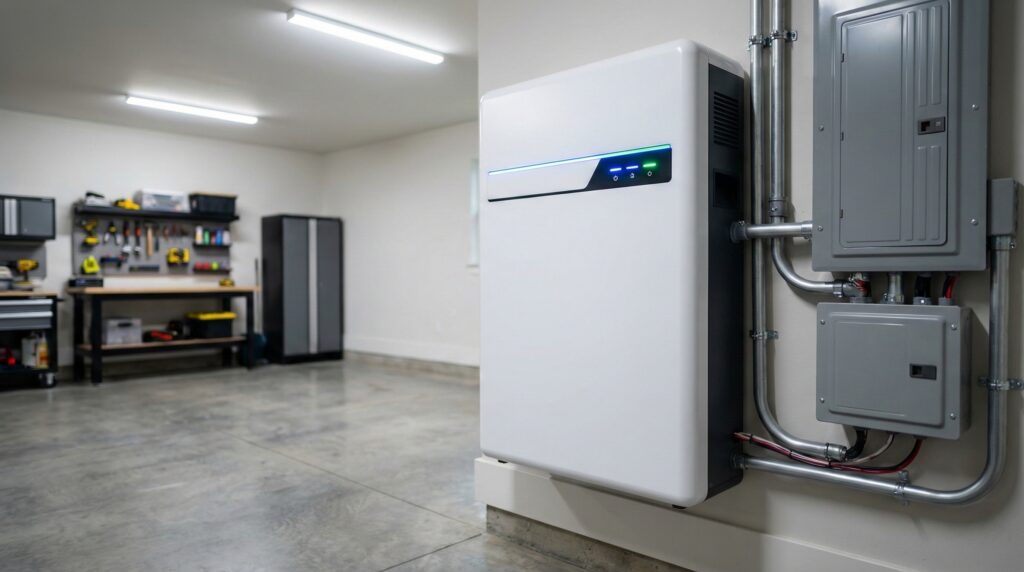
- Installed home batteries (wired-in): a battery system connected to your home electrical system through a transfer switch/critical loads panel (and often paired with solar). These can switch automatically and power selected circuits more cleanly.
The most important sizing concept is that backup performance depends on both energy and power:
- Energy (Wh or kWh) = how long you can run things. Think “fuel tank size.” A 1,000Wh battery is 1kWh.
- Power (W) = what you can run at once. Think “engine strength.” Your inverter has a continuous watt rating (what it can sustain) and usually a surge rating (what it can handle briefly to start motors).
A practical runtime formula is:
Runtime (hours) ≈ usable watt-hours ÷ average load watts
That “usable” part matters. In real life, you typically get less AC energy out than the battery’s nameplate capacity because of inverter losses and reserve buffers. In other words, a 3,072Wh unit won’t necessarily deliver 3,072Wh of AC power to your devices — so it’s smart to size with margin, especially for multi-day outages.
Also note what a battery backup doesn’t do: it doesn’t create energy. During a long outage, your experience is determined by how you can recharge — AC (grid), solar, or sometimes generator charging. U.S. Department of Energy materials on storage basics are a good grounding on the “store vs. generate” distinction (see U.S. Department of Energy battery storage guidance).
Finally, treat safety and setup as part of the product decision. Look for relevant safety certifications (UL has standards used in this space, such as UL 2743 for portable power packs and UL 9540/9540A in the installed ESS world via UL Solutions battery and energy storage testing information). And follow lithium-ion safety basics — charging, damaged packs, heat exposure — using guidance like the U.S. Consumer Product Safety Commission lithium-ion battery safety guide and broader fire-safety context from the NFPA lithium-ion battery safety resources.
Who Home Battery Backup Fits Best
Home battery backup tends to be a great fit if your goal is keeping essentials running with less hassle (and less noise) than a traditional generator — especially if you’re okay prioritizing a short list of loads rather than trying to run everything.
- Renters and apartment dwellers who can’t install a transfer switch but still want outage protection for internet, phone charging, CPAP/medical devices (as appropriate), and small appliances.
- Homeowners who want “essentials-only” backup—fridge, lights, router/modem, a few outlets — without committing to a full installed system.
- Anyone who wants a clean indoor-friendly option (no gasoline storage, no exhaust). You still need ventilation and safe placement, but there’s no combustion.
- People with frequent short outages who value convenience: wheel it out, plug in devices, monitor the state-of-charge, recharge when power returns.
User feedback often highlights day-to-day usability details that matter in an outage — like app pairing, display clarity, and portability. For example, one owner comment on a high-capacity portable unit emphasized setup and handling: “So far so Good! Havnt tried it yet but the connection to the app is straight forward.Suit case pulley is very nice touch” — verified buyer, 5 stars.
If you’re aiming for a more “house-like” backup experience (dedicated circuits, fewer extension cords, cleaner switching), you can still start with the same thinking: list your critical loads, total the running watts, identify the biggest surge load, and then decide whether a portable solution is enough — or whether you should talk to a licensed electrician about a transfer switch/critical loads panel.
Who Should Skip Home Battery Backup
A home battery backup is not automatically the right answer for every outage plan. You may want to skip (or at least rethink) if any of these apply:
- You need to run 240V loads like a well pump or certain HVAC systems and you’re only considering small-to-mid portable power stations. Many won’t support 240V output at all, and surge demands can be brutal.
- You expect true whole-home coverage (all circuits, long runtimes) without a serious budget. Whole-home-style backup typically means installed gear, transfer equipment, and careful load planning.
- You can’t recharge during multi-day outages and your outage durations routinely exceed your stored kWh. Without solar or some recharge path, even a large battery will eventually run down.
- You don’t want to manage loads (turning things off, cycling appliances, avoiding high-draw cooking/heat). Batteries reward active load management.
Connectivity can be another “skip” trigger if you’re counting on app-only control. Customer reviews sometimes mention Wi‑Fi/app behavior that could be annoying during a storm or after a router reset — for instance: “if my Jackery loses its wifi connection for any reason, it will not automatically reconnect when the power return” — verified buyer, 4 stars.
If you’re in this camp but still want quieter backup, consider talking with a licensed electrician or off-grid solar installer about an installed solution with a proper transfer setup and a clear plan for what circuits you’re backing up.
Price and Value
Home battery backup pricing spans a wide range because the category spans from portable units to installed systems. In the portable-power-station world, a rough way to think about value is:
- Cost per usable kWh (not just nameplate Wh)
- Inverter capability (continuous watts and surge)
- Recharge speed (AC charging watts; solar input limits)
- Outputs that match your plan (enough AC outlets, 12V, USB-C, etc.)
From the current product pricing we have for portable stations:
- Jackery Explorer 1000 v2: typically $350–$400. This is the “start here” budget range for keeping small essentials running and for learning what your real loads look like.
- Anker SOLIX F3000 (3,072Wh): typically $2,300–$2,500. This is the higher-capacity tier where you’re paying for much more stored energy (and usually more output capability and physical heft/portability features, like wheels).
Value isn’t only about buying the biggest battery. If you can recharge fast (high AC input and/or meaningful solar input), a smaller battery can be “enough” because you can refill it during the day and run overnight. On the flip side, a big battery with slow recharge can feel smaller than you expect in a multi-day outage.
Common Mistakes When Trying Home Battery Backup
Most disappointment with home battery backup comes from mismatched expectations — either underestimating surge watts, overestimating usable capacity, or assuming solar will refill everything quickly.
- Mistake #1: Sizing by capacity alone (Wh) and ignoring surge watts. Fridges, freezers, sump pumps, and some power tools can draw a short startup surge that’s far above their “running” watts. If the inverter can’t handle the surge, the device may fail to start even if you have plenty of battery left.
- Mistake #2: Planning on “whole-home” behavior with a portable unit. Running a couple of appliances via cords is very different from powering circuits in a panel. If you want panel-level backup, involve a licensed electrician and use code-compliant transfer equipment to prevent backfeeding.
- Mistake #3: Assuming solar panel wattage equals real-world charging. Panel output varies with sun angle, clouds, temperature, and shading. Buyers also sometimes report performance that doesn’t match expectations — for example: “The solar panel does not perform up the expectations” — verified buyer, 3 stars.
- Mistake #4: Overloading with heat-producing appliances. Space heaters, electric kettles, toaster ovens, and microwaves can burn through stored energy fast and can exceed continuous inverter limits. In an outage, it’s usually better to prioritize refrigeration, communications, and lighting.
- Mistake #5: Relying on app control as your primary interface. In a power outage, Wi‑Fi and cellular can be unstable. Make sure you can see state-of-charge and control outputs on the unit itself.
- Mistake #6: Unsafe placement and cable choices. Don’t block vents, don’t operate in wet areas, and don’t use damaged cords. Stick to manufacturer-approved charging gear and follow lithium-ion safety guidance (the CPSC lithium-ion battery safety guide is a solid baseline).
If you want your battery backup to feel dramatically “bigger,” the most effective non-shopping move is often load reduction: run the fridge/freezer, but don’t also run high-watt cooking or electric heat; keep lights LED; cycle devices rather than running everything continuously.
FAQ
How do I size a home battery backup for my fridge?
Start with two numbers: (1) the fridge’s typical running draw (or kWh/day from a label or energy monitor), and (2) the compressor surge at startup. For runtime, divide the battery’s usable Wh by the fridge’s average watts. For starting, make sure the inverter’s surge rating can handle the compressor kick. If you’re unsure, size up — fridge behavior varies with room temperature and how often the door opens.
What’s the difference between battery capacity (Wh) and inverter power (W)?
Wh (or kWh) is “how much energy is stored” and mostly determines runtime. W is “how fast you can deliver energy” and determines what devices you can run at once and whether you can start motor loads. You need enough W to run/start your loads and enough Wh to keep them running for your target outage window.
How long will a battery backup last during an outage?
Runtime depends on usable capacity and your average load. As a quick estimate: runtime (hours) ≈ usable Wh ÷ average watts. Real life is messier (surges, cycling, inverter losses), so plan margin. The biggest runtime wins usually come from reducing continuous loads and avoiding high-watt heating/cooking appliances.
Do I need an installed transfer switch for a home battery backup?
Not always. If you’re powering a few devices directly from a portable power station, you can often do it safely with appropriate cords and load management. If you want to power household circuits (especially via an inlet), or you want seamless switching, you should use a proper transfer switch/interlock/critical-loads panel and involve a licensed electrician. This helps avoid dangerous backfeeding and keeps the setup code-compliant.
Can a home battery backup run a well pump or central AC?
Sometimes, but it’s the exception rather than the rule for portable units. Many well pumps and some HVAC equipment are 240V and have high startup surges. You need a system that supports 240V output and has enough surge and continuous capacity. If those loads are mission-critical, talk to an electrician or off-grid solar installer so the system (and switching gear) matches your equipment.
Is solar necessary for a home battery backup?
No — solar isn’t required for short outages. But for multi-day outages, solar can be a major advantage because it provides a way to refill the battery without the grid. Just remember solar output is weather-dependent, and you must keep within the battery’s solar input voltage/current limits to avoid equipment damage.
What safety certifications should I look for in a home battery backup?
Look for credible safety marks and documentation rather than relying on a product listing. UL has widely used standards in this space (portable power packs often reference UL 2743, and installed energy storage systems commonly reference UL 9540/9540A concepts). You can learn more from UL Solutions battery and energy storage testing information. For general lithium-ion handling and charging safety, review the U.S. CPSC lithium-ion battery safety guide and the NFPA lithium-ion battery safety resources.
Looking for these on Amazon? Browse home battery backup on Amazon →
Bottom Line
Home battery backup works best when you size it by both usable energy (kWh) and inverter power (W), and when you plan your recharge strategy for anything beyond a short outage. For many homes, a portable power station is the lowest-friction way to keep essentials running — while installed systems make more sense for 240V needs, cleaner circuit-level backup, and automatic switching.
If you’re not sure where to start, list your critical loads and their surge requirements first, then choose a battery with margin — and consult a licensed electrician when you’re moving beyond plug-in, extension-cord-style backup.
Affiliate disclosure: Some of the links in this article are affiliate links. We may earn a commission if you purchase through them.